
The definitive guide to diagnosing and fixing email spam folder placement, covering authentication, content, reputation, list hygiene, and ISP-specific issues.
Email deliverability does not fail with an HTTP 404 error or a readable stack trace. It fails silently by routing your mission-critical messages into the recipient's spam folder.
When auth tokens, password reset links, invoices, and user notifications land in spam, your business is effectively down for those users. Because SMTP technically completes message handoff without an error code, deliverability regressions are notoriously difficult to detect and debug without a systematic methodology.
This guide walks you through every major root cause of spam folder placement, provides exact CLI commands and tools to diagnose your sending path, and details the concrete steps required to fix each issue permanently.
Start with a spam score baseline
Before debugging individual infrastructure components, establish an objective spam score baseline.
Send a test email from your production or staging environment to mail-tester.com. The service executes automated SpamAssassin heuristics, analyzes message MIME structure, and checks DNSBL blacklists to return a score from 0 to 10.
- Score 9.0 to 10.0: Optimal deliverability baseline required for transactional infrastructure.
- Score 7.0 to 8.9: Active deliverability risks: minor configuration warnings, missing headers, or slight content penalties.
- Score Below 7.0: Severe deliverability failure: failing authentication, blacklisted IP, or broken MIME structure.
In parallel, register your sending domain with Google Postmaster Tools. It provides proprietary Gmail telemetry directly from Google, including domain reputation, IP reputation, spam complaint rates, and authentication success rates.
Cause 1: Missing or broken email authentication
Probability: Very High. Over 70% of inbox placement failures stem from authentication misconfigurations.
Major mailbox providers (Google, Yahoo, and Microsoft) enforce mandatory authentication for all senders. If your messages fail or lack SPF, DKIM, or DMARC, inbox providers will aggressively route your traffic to spam or drop it at the SMTP handshake.
How to diagnose authentication in DNS
Verify that your DNS records are active and resolving across public resolvers:
1# 1. Verify SPF record2dig TXT yourdomain.com +short | grep spf3
4# 2. Verify DKIM record (Reloop uses the 'reloop' selector)5dig TXT reloop._domainkey.yourdomain.com +short6
7# 3. Verify DMARC record8dig TXT _dmarc.yourdomain.com +short
You can also paste raw message headers into the MXToolbox Email Header Analyzer to inspect how receiving mail transfer agents evaluate your records.
What healthy authentication headers look like
Inspect the Authentication-Results header inside a delivered email:
1Authentication-Results: mx.google.com;2 spf=pass (google.com: domain of notifications@yourdomain.com designates 1.2.3.4 as permitted sender) smtp.mailfrom=notifications@yourdomain.com;3 dkim=pass header.i=@yourdomain.com header.s=reloop;4 dmarc=pass (p=REJECT) header.from=yourdomain.comIf any authentication check shows fail or softfail, resolve authentication before investigating any other deliverability factor. See our step-by-step SPF, DKIM, and DMARC complete setup guide.
The DMARC alignment trap
An email can pass SPF and DKIM individually while still failing DMARC due to identifier misalignment.
DMARC requires that the domain in the user-visible From: header matches either:
- The domain in the envelope sender
Return-Path(SPF Alignment) - The domain specified in the
d=tag of a validDKIM-Signature(DKIM Alignment)
If you send from auth@yourdomain.com but your DKIM signature is signed under a third-party vendor domain without custom domain alignment, DMARC evaluation will fail.
Cause 2: Sending from a new IP with no reputation
Probability: High for freshly provisioned servers and new infrastructure.
Internet Service Providers (ISPs) maintain rolling reputation scores for every sending IP address. A brand new IP starts with neutral reputation, which anti-abuse filters treat with heightened suspicion. Jumping immediately to high sending volume from a cold IP triggers automated rate-limiting, temporary deferrals (421 / 451 SMTP codes), and spam placement.
Indicators of an IP reputation issue
- Deliverability was flawless on previous infrastructure before migrating to a new server.
- You recently provisioned a dedicated IP address or switched email infrastructure providers.
- Google Postmaster Tools reports "Low" or "Bad" IP reputation.
How to fix it: Structured IP warming
IP warming is the process of gradually scaling outbound volume over 4 to 6 weeks to establish trusted sender reputation.
During the initial warm-up window, send exclusively to your most engaged recipients. High open rates and user engagement accelerate positive reputation scoring with mailbox algorithms. Follow our detailed IP warming schedule guide.
Cause 3: High bounce rate
Probability: Moderate to High, particularly after user imports or list migrations.
A bounce rate exceeding 2% is an immediate warning signal to ISPs; a bounce rate over 5% triggers automated throttling or domain blacklisting. High bounce rates indicate that a sender is not validating email addresses at collection or is sending to stale, unverified databases.
Distinguishing Hard vs. Soft Bounces
- Hard Bounces (5xx SMTP errors): Permanent delivery failures (e.g.
550 5.1.1 User unknown, invalid mailbox, nonexistent domain). - Soft Bounces (4xx SMTP errors): Temporary delivery failures (e.g.
452 Mailbox full, server busy, transient network timeout).
How to eliminate bounce penalties
- Automatically suppress hard-bounced addresses: Never retry sending to a hard bounce. Reloop's delivery engine automatically suppresses hard bounces to protect your domain reputation (see our guide on email bounce processing automation).
- Clean lists before you send: Before campaigns or imports, run addresses through a free email validator to catch invalid syntax, disposable domains, and domains with no MX records, so hard bounces never hit your sending reputation.
- Verify addresses in real-time at signup: Prevent typos and invalid domains directly at your registration form (or call Reloop's email validation API / use the free bulk email verifier for CSV imports):
typescript1import { resolver } from "node:dns/promises";23export async function validateEmailInput(email: string): Promise<boolean> {4 // Basic format validation5 const emailRegex = /^[^\s@]+@[^\s@]+\.[^\s@]+$/;6 if (!emailRegex.test(email)) return false;78 // Verify domain has active MX records9 const domain = email.split("@")[1];10 try {11 const mxRecords = await resolver.resolveMx(domain);12 return mxRecords && mxRecords.length > 0;13 } catch {14 return false;15 }16}
- Never purchase or scrape email lists: Third-party lists contain spam traps (honeypot addresses maintained by anti-spam organizations) that immediately ruin domain reputation.
Cause 4: High spam complaint rate
Probability: High for mixed transactional and notification streams.
A spam complaint occurs whenever a recipient clicks "Report Spam" or "Mark as Spam" in Gmail, Apple Mail, or Outlook.
- Google & Yahoo Warning Threshold: 0.10% (1 complaint per 1,000 delivered emails).
- Enforcement & Blocking Threshold: 0.30% (3 complaints per 1,000 delivered emails).
Exceeding 0.30% spam complaints will cause mailbox providers to route all subsequent domain traffic directly to the spam folder.
How to reduce spam complaints
- Isolate transactional from promotional sending: Never send marketing blasts from your primary transactional domain. Isolate critical auth tokens and receipts on a dedicated subdomain (e.g.
auth.yourdomain.comormail.yourdomain.com) as detailed in our transactional email best practices. - Implement RFC 8058 One-Click Unsubscribe: Gmail and Yahoo require one-click unsubscribe headers for non-transactional messages:
typescript1import { Reloop } from "@reloop/sdk";23const reloop = new Reloop({ apiKey: process.env.RELOOP_API_KEY });45await reloop.emails.send({6 from: "notifications@yourdomain.com",7 to: user.email,8 subject: "Your weekly analytics digest",9 headers: {10 "List-Unsubscribe": `<https://yourdomain.com/unsubscribe?token=${user.token}>`,11 "List-Unsubscribe-Post": "List-Unsubscribe=One-Click",12 },13 html: "<p>Your weekly digest content...</p>",14});
- Sunset inactive recipients: Implement sunset policies for non-essential notifications. If a user has not opened an email in 90 days, reduce sending frequency or require explicit re-opt-in.
Cause 5: Content triggering Bayesian spam filters
Probability: Low for standard transactional receipts; Moderate for notification templates.
Modern spam filters use natural language processing and Bayesian analysis to evaluate message payloads. While keywords alone rarely cause spam placement, poor HTML formatting combined with aggressive promotional phrasing will penalize your delivery score.
Content practices that degrade inbox placement
- Missing
text/plainmultipart MIME: Sending an HTML-only email without an accompanying plain text alternative is a strong spam signal. Reloop automatically generates plain text fallbacks for all outgoing messages. - Extreme Image-to-Text Ratio: Single large promotional images with little or no accompanying text mimic phishing campaigns.
- Link Text vs. Href Domain Mismatches: If your link anchor text displays
https://yourdomain.com/loginbut the underlyinghrefpoints to an unbranded tracking redirect, filters flag the discrepancy as a potential phishing attempt. - Spam Trigger Patterns: Excessive capitalization in subject lines (
URGENT: RESET NOW), repetitive punctuation ($$$,!!!), and deceptive urgency triggers.
Cause 6: Sending from unmonitored noreply@ addresses
Probability: Measurable impact on recipient engagement signals.
Using noreply@yourdomain.com harms deliverability in two distinct ways:
- Machine Learning Heuristics: Mailbox algorithms associate
noreply@with low-engagement bulk blasts. - Missed Engagement Signals: When recipients reply to an email (e.g. "Thanks!" or asking a question), mailbox algorithms register that interaction as a strong positive reputation signal. A
noreply@address blocks this positive feedback loop.
Best Practice: Use a recognizable sender address such as notifications@yourdomain.com or team@yourdomain.com, and set a monitored Reply-To header to route inbound responses to your support inbox:
1await reloop.emails.send({2 from: "Acme Support <notifications@yourdomain.com>",3 replyTo: "support@yourdomain.com",4 to: user.email,5 subject: "Your order confirmation",6 html: "<p>Thank you for your purchase...</p>",7});Cause 7: Sending IP or domain listed on a DNSBL blacklist
Probability: High if credentials were leaked, sending servers were compromised, or list hygiene was neglected.
DNSBLs (DNS-based Blackhole Lists) are shared databases of IP addresses and domains flagged for spam transmission or compromised SMTP servers. If your IP or domain appears on an authoritative blocklist (such as Spamhaus, Barracuda, or Spamcop), major ISPs will reject or spam-folder your mail immediately.
How to check blacklist status
Run an automated scan across all major DNSBL registries using the MXToolbox Blacklist Checker. Enter your sending IP address and sending domain.
How to request delisting
- Isolate and fix the root cause: Identify and patch the compromised SMTP credential, stop the rogue sending loop, or purge the failing email list.
- Submit a removal request: Visit the specific blacklist removal portal (e.g. the Spamhaus Blocklist Removal Center) and provide proof of remediation.
- Monitor clearance: Most reputable blocklists clear listings within 24 to 48 hours once remediation is verified.
Cause 8: ISP-specific filtering (Gmail, Microsoft 365, Apple)
Each major mailbox provider utilizes proprietary filtering algorithms beyond baseline standards:
1. Google (Gmail)
- Primary Tool: Monitor Google Postmaster Tools.
- Tab Placement vs. Spam: If transactional emails route to the Promotions tab instead of Primary, this is a classification issue rather than a spam penalty. Keep transactional templates lightweight and free from promotional banners to help Gmail route them to Primary.
- BIMI Brand Logo: Implement BIMI (Brand Indicators for Message Identification) with a valid DMARC enforcement policy (
p=quarantineorp=reject) to display your verified company avatar in Gmail inboxes.
2. Microsoft (Outlook / Office 365)
- Microsoft maintains stringent IP reputation filtering and relies heavily on Smart Network Data Services (SNDS).
- Microsoft frequently returns
550 5.7.1error codes when an IP reputation drops below acceptable thresholds.
The 8-Step Deliverability Diagnostic Checklist
When emails are landing in spam, work through this diagnostic sequence in order:
- Run a mail-tester.com scan (target score ≥ 9/10): Identifies broken MIME syntax, missing DNS tags, and Bayesian spam keyword flags before you touch infrastructure.
- Audit raw authentication headers: Inspect received headers in an actual test inbox to confirm
SPF: PASS,DKIM: PASS, andDMARC: PASSwith identifier alignment. - Check Google Postmaster Tools telemetry: Verify that your Domain Reputation is "Good" or "High" and inspect Gmail-specific spam rates.
- Check DNSBL blacklists on MXToolbox: Confirm neither your sending IP nor domain is listed on Spamhaus, Barracuda, or Spamcop.
- Review real-time bounce rates in Reloop Analytics: Confirm that your 30-day hard bounce rate is strictly below 2% and that auto-suppression is active.
- Review your spam complaint rate: Ensure complaints remain strictly below 0.10% (1 per 1,000 sends) to prevent algorithmic ISP filtering.
- Audit MIME structure & plain text fallback: Verify that every outgoing template includes both a valid
text/plainpart and a balanced HTML payload without broken tracking URLs. - Verify ISP-specific routing & tab placement: Check whether messages are routing to Gmail's Promotions tab vs. spam, and isolate transactional subdomains from promotional lists.
Read more
SPF, DKIM, and DMARC: The Complete Setup Guide (2026)
A thorough, practical guide to configuring SPF, DKIM, and DMARC for your sending domain with exact DNS records, common mistakes, and a step-by-step verification checklist.
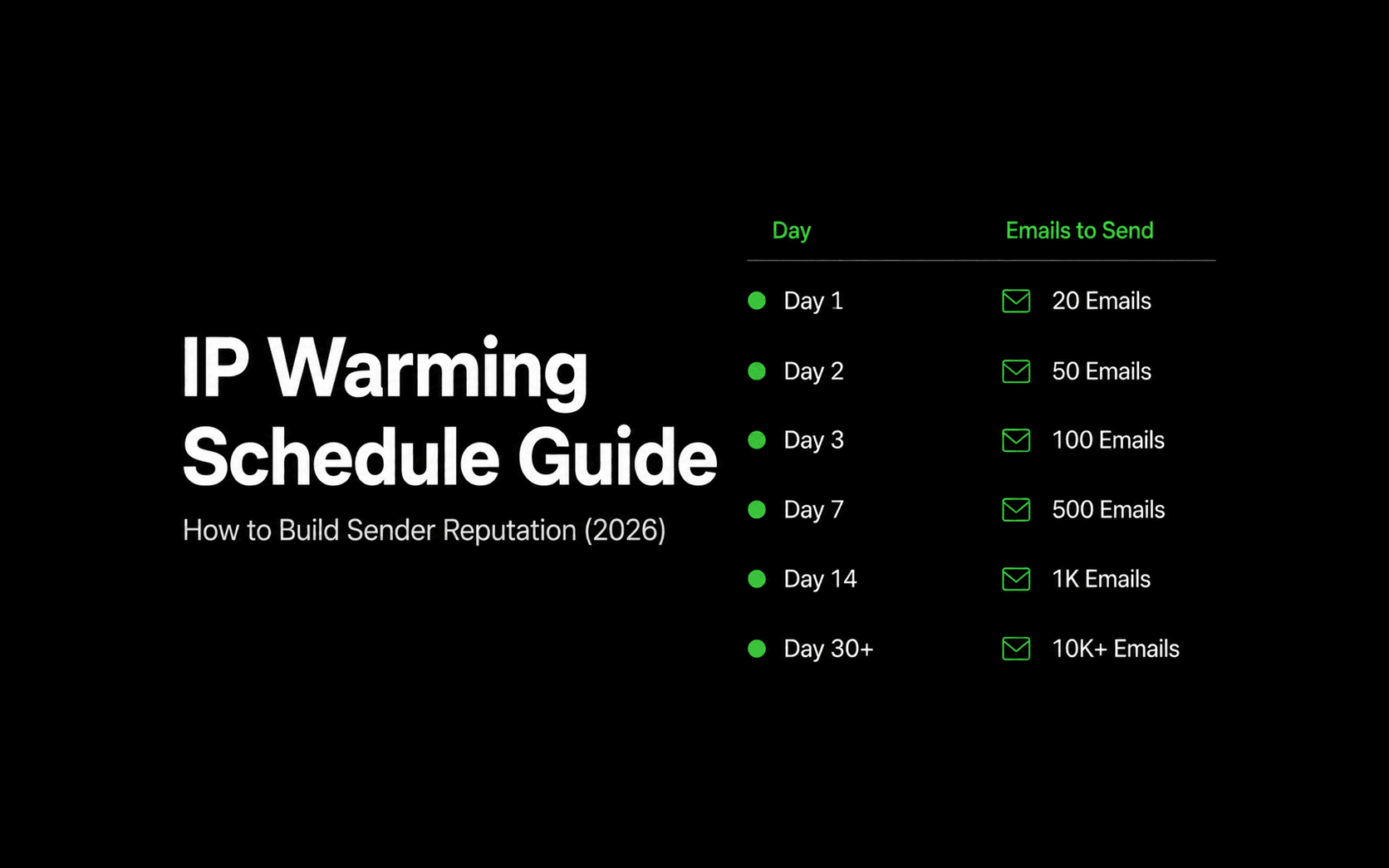
IP Warming Schedule Guide: How to Build Sender Reputation (2026)
A comprehensive, practical guide to warming new sending IP addresses, with an exact week-by-week volume ramp schedule, recipient segmentation strategy, throttle limits, and deliverability monitoring.

Why We Open-Sourced Our Email Infrastructure
The story behind Reloop: why we built an open-source alternative to SendGrid, Resend, and Mailgun, why email infrastructure is too critical to rent forever, and what we're changing.
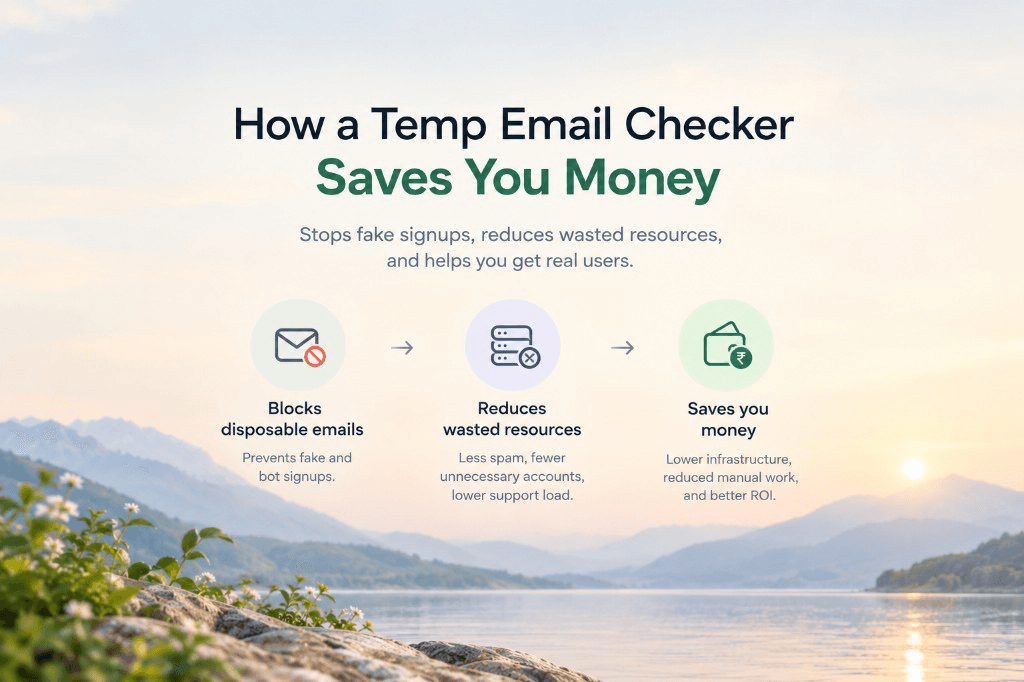
The Hidden Costs of Disposable Emails (And How Blocking Them Saves You Thousands)
From CRM contact-tier inflation to free-trial credit farming and burned domain reputation, here is the real cost of disposable emails and how a free temp email checker saves thousands.
Ship your first email with Reloop in minutes
Open-source, deliverability-focused, and yours to self-host or run on Reloop Cloud. No lock-in, no rewrite later.