Contact Groups
Learn how to create, rename, and delete Reloop contact groups, and add or remove members from the dashboard or API.
View all contact groups
The Groups Dashboard shows every group in your organization. Open a group to see its members, rename it, or add and remove contacts.
Groups are lists you send to. One contact can sit in many groups; the person stays a single record. Membership does not change subscription status; that stays on the contact.
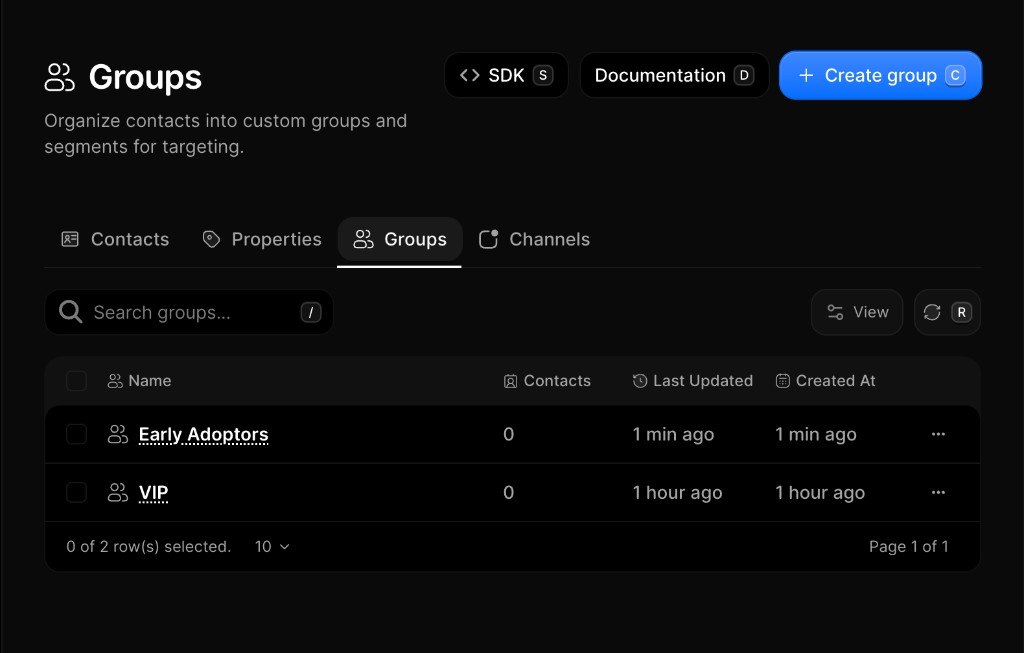
Create a group
- Go to Contacts → Groups
- Click Create Group
- Enter a descriptive name (e.g.
VIP CustomersorFree Trial) - Click Create Group (or press
Enter)
Rename a group
Currently, only the name of a group can be edited. Renaming does not change members or how the group is targeted.
- Go to Contacts → Groups
- Click a group to open its detail page
- Edit the name in the header
- Click Save (or press
Enter)
Add contacts to a group
- Open a group from Contacts → Groups
- Click Add Contacts to Group
- Search and select contacts (or Select All)
- Click Add Contacts
Remove contacts from a group
- Open the group from Contacts → Groups
- Click the member row menu (···) → Remove from Group
- Confirm removal
Delete a group
- Open Contacts → Groups (or open the group detail)
- Click the row menu (···) → Delete (or delete from detail)
- Confirm permanent removal
FAQ
Related
Contacts
Add, search, and manage people in your organization.
Properties
Custom traits on each contact record.
Channels
Subscription topics and channel preferences.
API reference
Was this page helpful?