API Keys
Learn how to create, use, edit, rotate, disable, filter, and delete Reloop API keys from the dashboard or API.
View all API Keys
The API Keys Dashboard shows you all the API Keys you have created along with their details, including the last time you used an API Key.
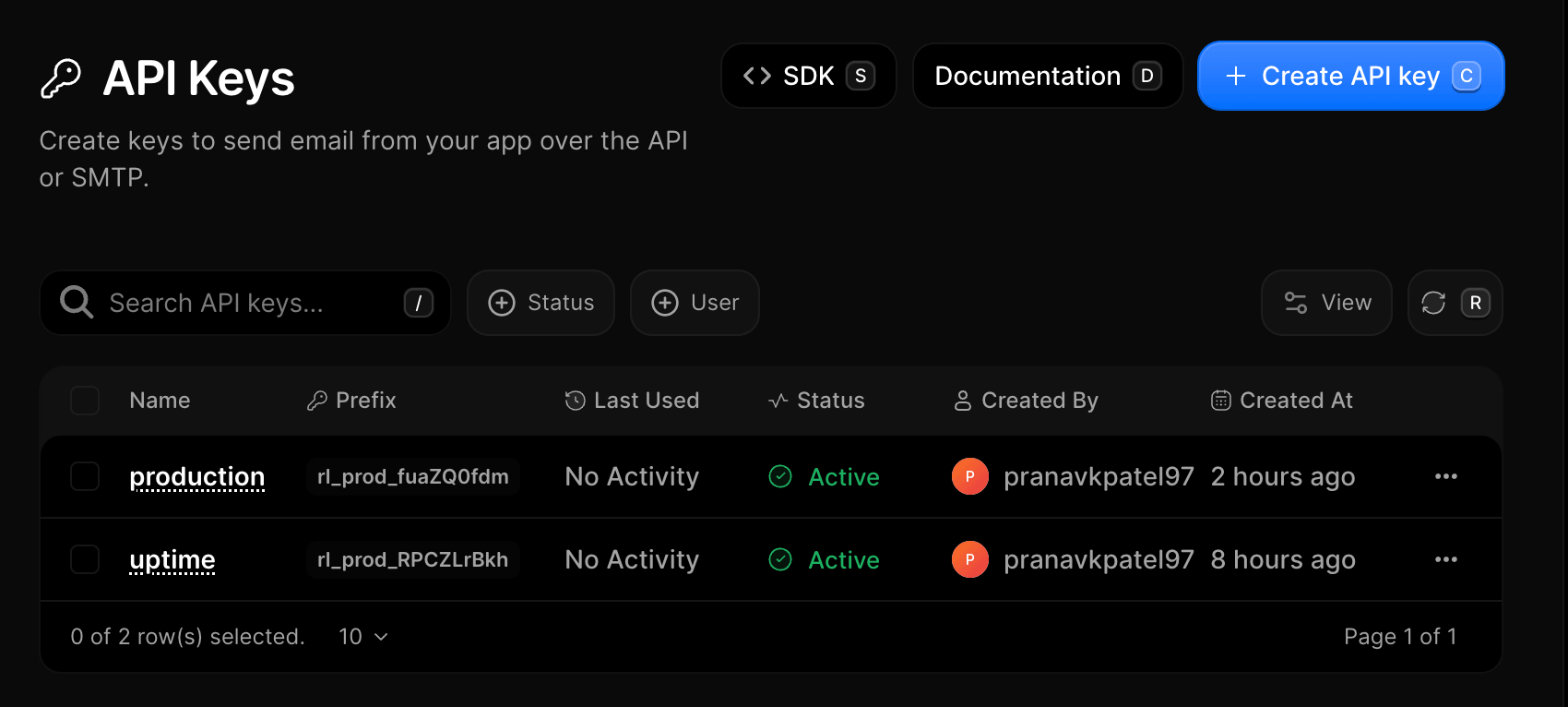
Create an API key
- Go to API Keys
- Click Create API key (or press
C) - Enter a descriptive name (e.g.,
Production ServerorStaging Worker) - Click Create API Key
- Copy the secret key, then click Cancel
Edit an API key
Currently, only the name of an API key can be edited. The API key secret itself cannot be changed. If you need a new secret, rotate the key instead.
- Go to API Keys
- Click the row menu (···) next to the key you want to rename
- Select Edit Api Key
- Update the key name and click Save changes (or press
Enter)
Rotate an API key
- Open API Keys
- Click the row menu (···) → Rotate Key
- Enter the key name to confirm rotation
- Click Rotate Key (or press
Enter)
Disable or enable an API key
- Open API Keys
- Click the row menu (···) → Disable (or Enable if already paused)
- The key status updates instantly to Disabled
Delete an API key
- Open API Keys
- Click the row menu (···) → Delete API Key
- Enter the key name to confirm permanent removal
- Click Delete API Key (or press
Enter)
FAQ
See also
Was this page helpful?