Contact Channels
Learn how to create, edit, and delete Reloop subscription channels, enroll contacts, and view subscribers from the dashboard or API.
View all channels
The Channels Dashboard shows every subscription channel in your organization, including subscriber count, visibility, and default enrollment.
Channels are topics contacts can opt in or out of (for example Product Updates or Newsletter) instead of a single global unsubscribe. Visibility and default subscription stay on the channel; enrollments live on each contact.
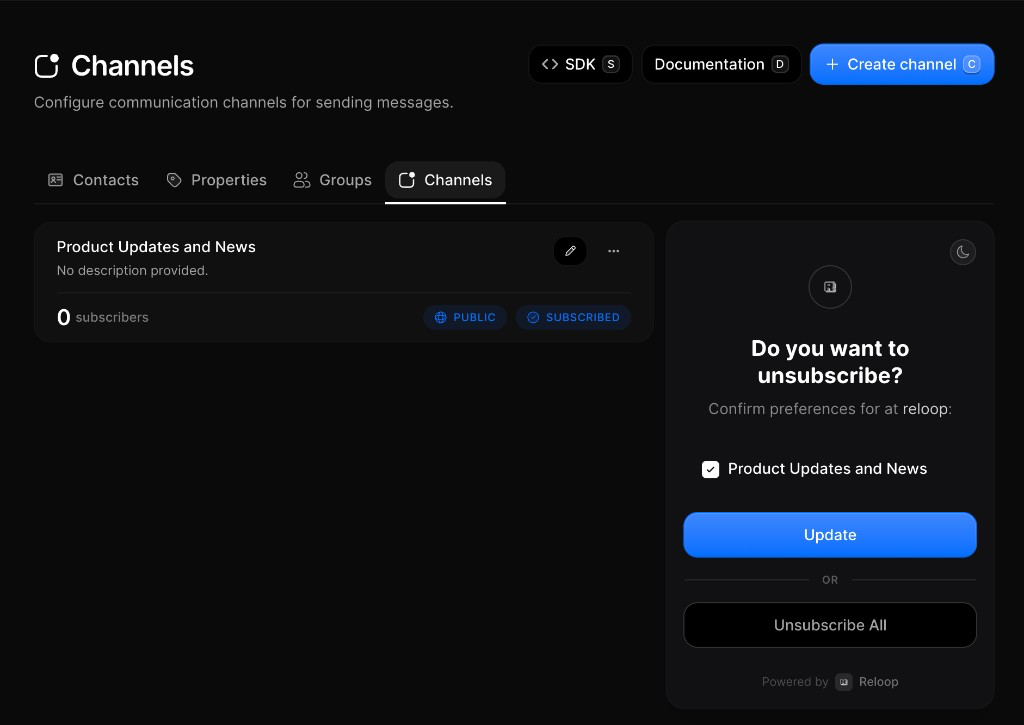
Create a channel
- Go to Contacts → Channels
- Click Create channel (or press
C) - Enter a descriptive name (e.g.
Product UpdatesorNewsletter) - Optionally add a description, set Default Subscription, and choose Public Channel
- Click Create Channel (or press
Enter)
Edit a channel
You can update a channel’s name, description, default subscription, and public/private visibility. Editing does not remove existing enrollments.
- Go to Contacts → Channels
- Click the edit icon (or row menu ··· → Edit Channel)
- Update the fields you need
- Click Update Channel (or press
Enter)
View channel subscribers
- Open Contacts → Channels
- Click the row menu (···) → View Subscribers
- Review the filtered contacts list (clear the channel filter chip to see everyone again)
Remove a contact from a channel
- Open Contacts (or open a contact detail)
- Edit the contact and remove the channel (e.g. Product Updates)
- Save the contact
Delete a channel
- Open Contacts → Channels
- Click the row menu (···) → Delete Channel
- Confirm permanent removal
FAQ
Related
Contacts
Add, search, and manage people in your organization.
Groups
Lists you send to without changing subscription status.
Properties
Custom traits on each contact record.
API reference
Was this page helpful?