Managing API Keys
Create, use, and manage Reloop API keys from the dashboard or with code.
Everything below works from the dashboard or with code. Pick whichever you prefer — the keys are the same.
Open the UI any time: API Keys
Create
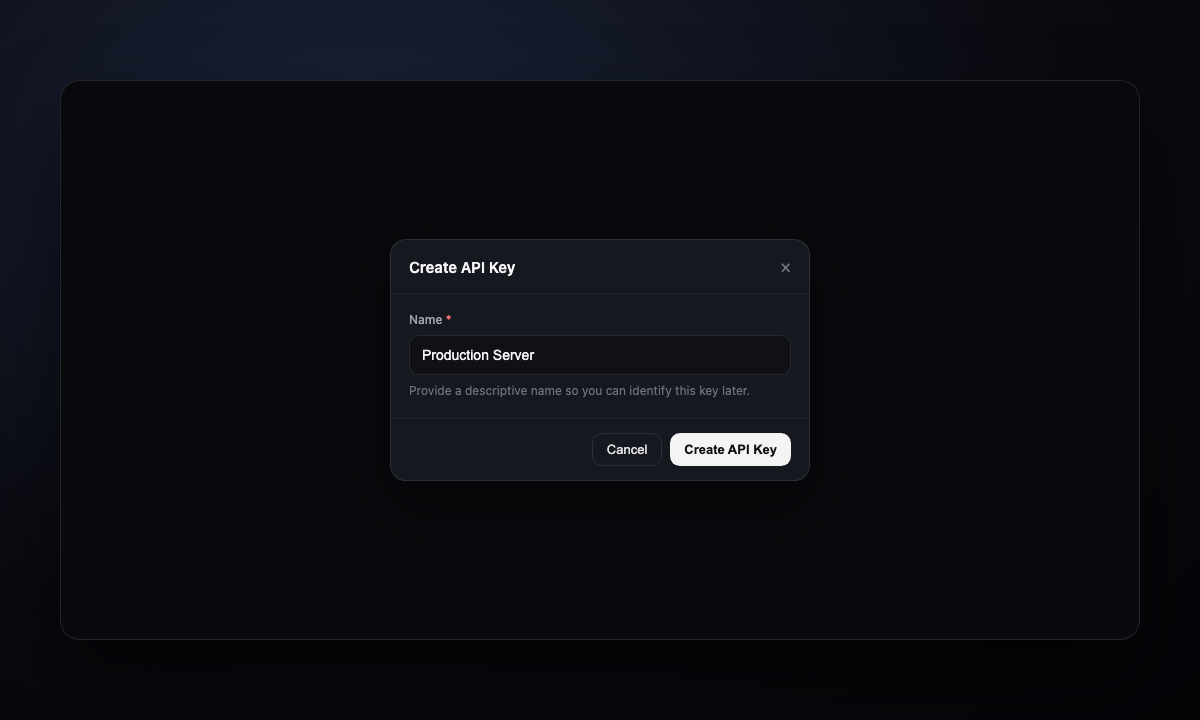
- Go to API Keys
- Create API key
- Enter a name (e.g.
Production Server) - Create API Key
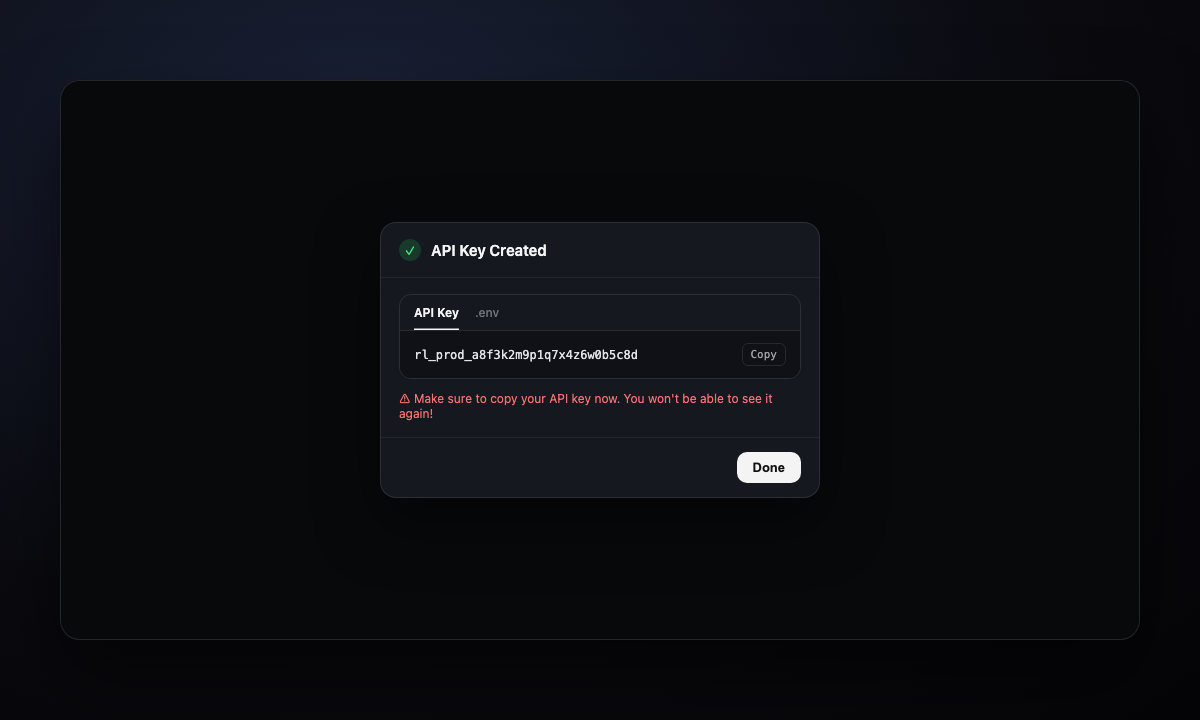
- Copy the secret (or the .env tab), then Done
Use
Store the secret, then send it on every request as x-api-key.
After create, copy from the success modal (API Key or .env):
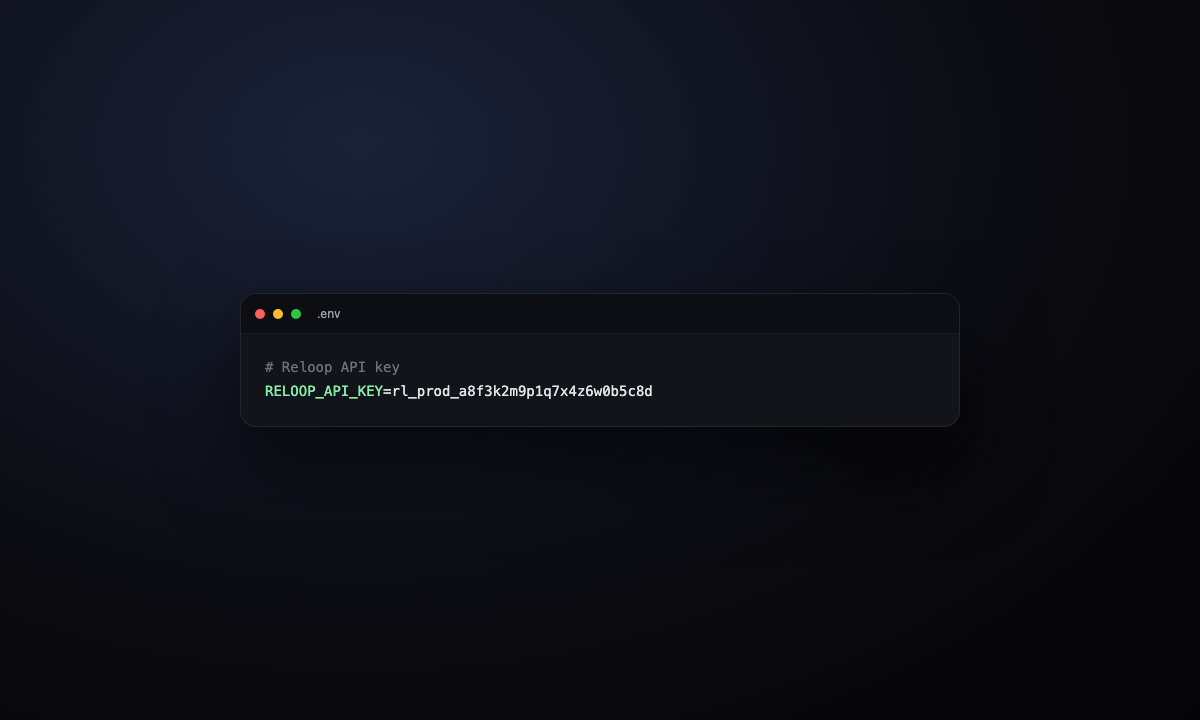
Put it in your environment, then call Reloop from your code (next tab).
Manage
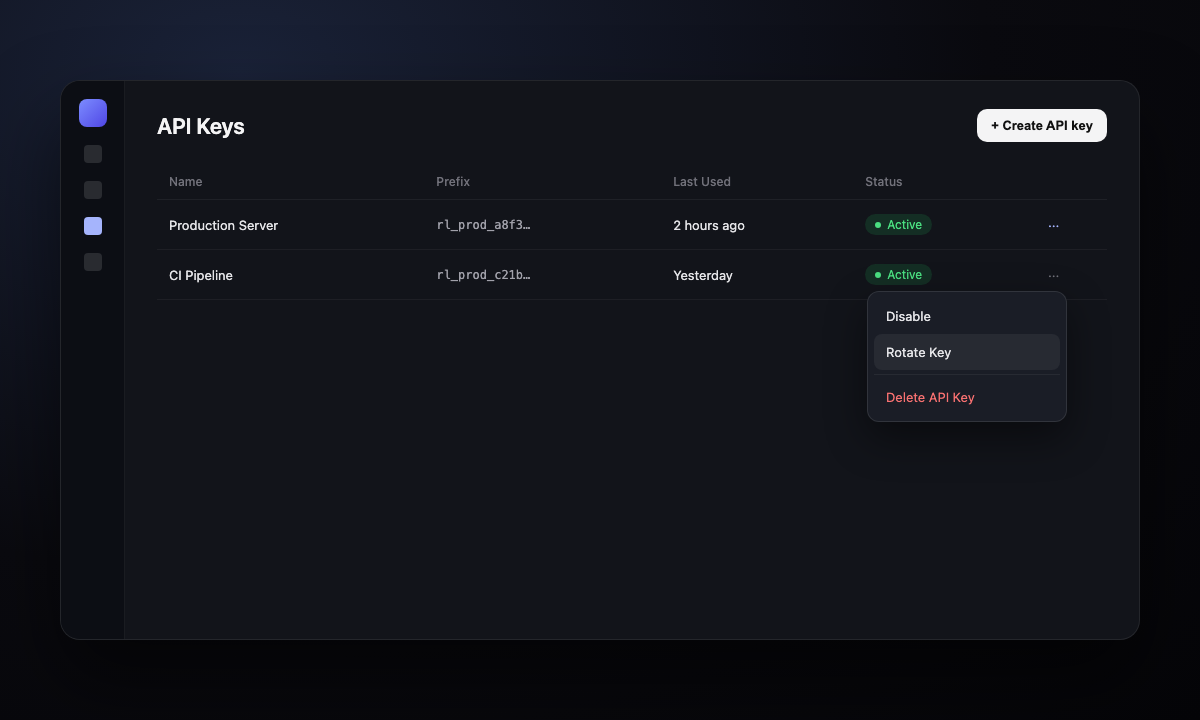
Disable, rotate, rename, or delete — dashboard row menu or API.
| Action | What happens |
|---|---|
| Disable / Enable | Pause or restore access |
| Rotate Key | New secret, same key — copy once, update apps |
| Delete API Key | Gone for good (type the name to confirm) |
| Edit | Rename only |
- Open API Keys
- Row ··· menu (or open the key)
- Choose Disable, Rotate Key, Delete API Key, or Edit
- On rotate: copy the new secret and update every place that used the old one
List
See every key for your org — secret never included.
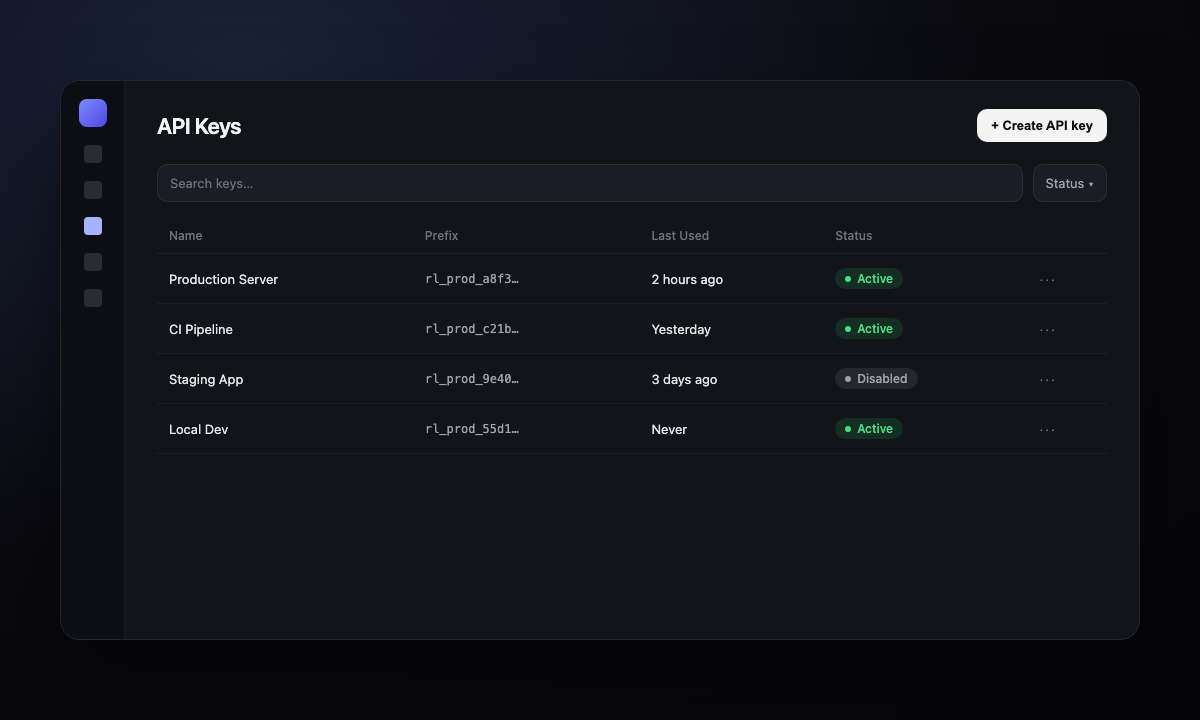
API Keys shows name, prefix, last used, status.
API reference
Was this page helpful?