Channels
Configure subscription channels to manage customer preferences and message routing rules.
Channels represent subscription categories or topics (e.g., "Product Updates", "Monthly Newsletter", or "System Alerts"). Using channels allows you to manage subscriber consent granularly, preventing spam complaints by letting contacts opt out of specific types of content rather than unsubscribing globally.
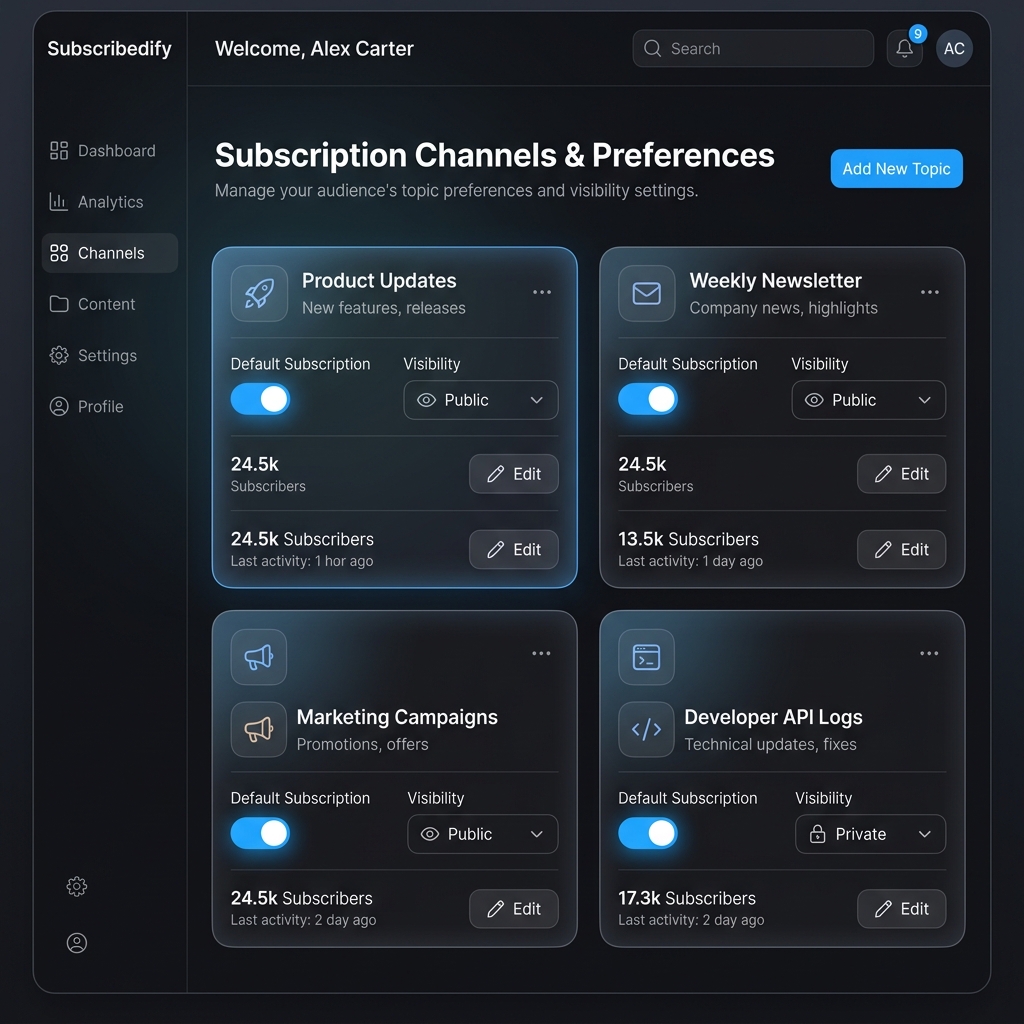
Channel Settings
Every subscription channel is defined by two key settings:
- Default Subscription:
- Opt-In (
opt_in): New contacts added to the workspace are automatically enrolled in this channel. - Opt-Out (
opt_out): Contacts must be manually enrolled in this channel, or opt in themselves.
- Opt-In (
- Visibility:
- Public (
public): The channel is visible to subscribers, allowing them to opt in or out of it on their preferences management page. - Private (
private): The channel is only visible to your internal team inside the Reloop dashboard.
- Public (
Dashboard Usage
You can create, edit, and configure your messaging channels in the dashboard.
1. Creating a Channel
- Navigate to Contacts in the sidebar and click on the Channels tab.
- Click the Create Channel button.
- Configure the fields:
- Channel Name: A descriptive name (e.g.,
Product Updates). - Description (Optional): A description explaining what kind of messages are sent on this channel (maximum 500 characters).
- Default Subscription: Toggle to automatically enroll new contacts.
- Public Channel: Toggle to make the channel visible on public subscription preference pages.
- Channel Name: A descriptive name (e.g.,
- Review the preview pane on the right of the modal to see how it will render for subscribers.
- Click Create Channel to save.
2. Editing or Deleting a Channel
- Find the target channel in the channels list table.
- Click the options menu at the end of the row.
- Choose Edit to modify its settings, or Delete to permanently remove the channel. Note: Deleting a channel will remove all enrollment records associated with it.
API Reference
Use the Channels API to manage subscription channels and user preference topics programmatically.
Was this page helpful?